Activate License
GoogleMapExtractor uses an online licensing system to verify your subscription and unlock all premium features.
Whether you're starting a free trial or activating a purchased license, the entire process takes less than a minute.
Before You Begin
Before activating your license, please make sure:
- Your computer is connected to the Internet.
- You are using the latest version of GoogleMapExtractor.
- You have received your license key after purchase.
If you have not yet purchased a subscription, you can start with the free trial.
Start the Free Trial
New users can evaluate GoogleMapExtractor with a free trial before purchasing.
The trial version includes certain feature limitations but allows you to test the software's core functionality, performance, and extraction workflow.
No credit card is required to start the trial.
Activate Your License
After purchasing a subscription, activating your license is simple.
Step 1
Launch GoogleMapExtractor.
Step 2
Open the Activation window.
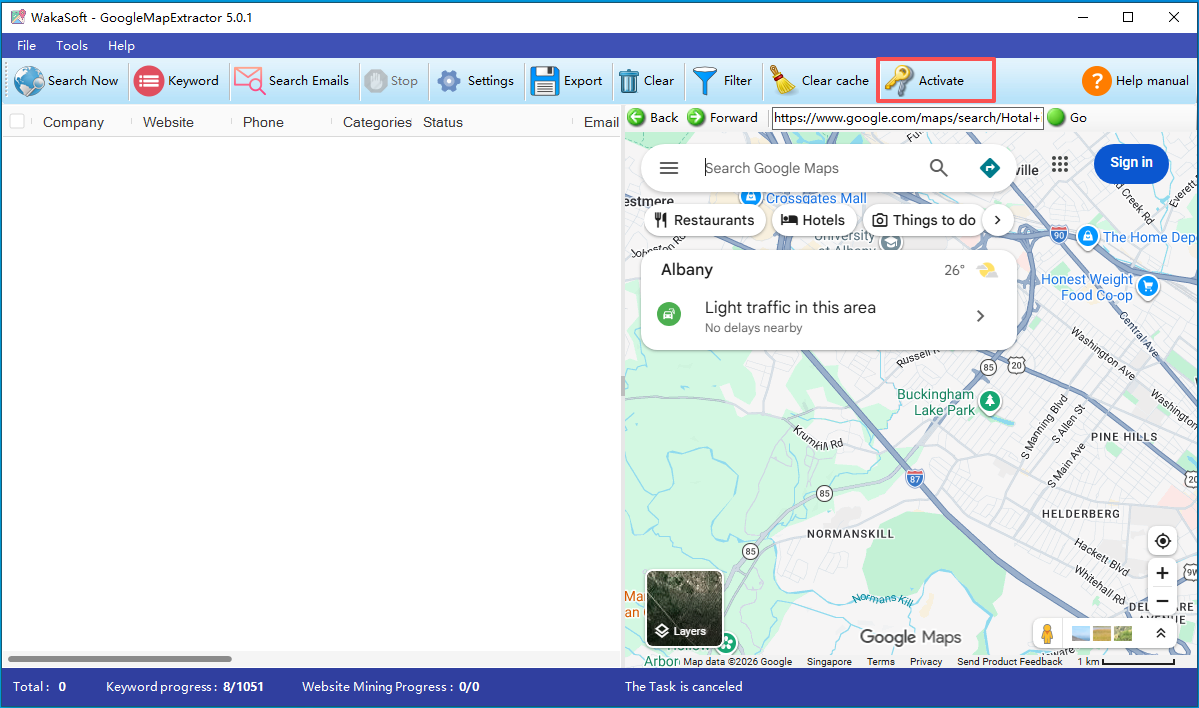
Step 3
Enter your license key exactly as provided.
License keys are case-insensitive and can be copied directly from your purchase email.
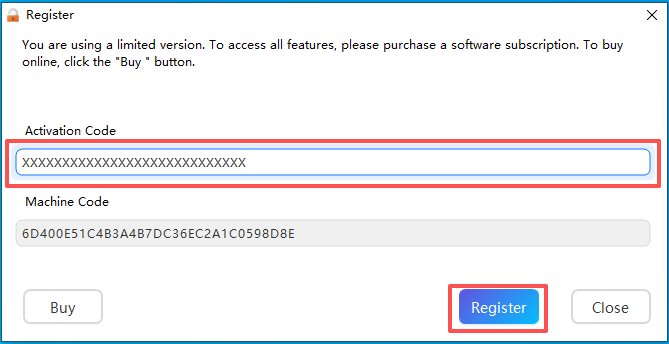
Step 4
Click Activate.
The software will connect to the licensing server and verify your subscription.
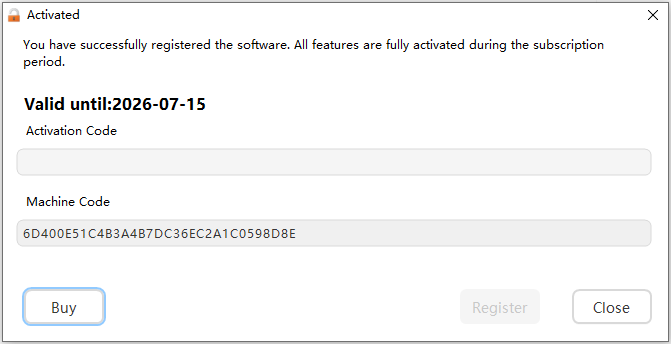
Once activation is successful, all premium features become immediately available.
License Status
After activation, you can view your license information, including:
- License Status
- Subscription Plan
- Expiration Date
This information is available from the License page inside the software.
Renew Your Subscription
GoogleMapExtractor is available as a subscription.
During your active subscription, you receive:
- All software updates
- New features
- Performance improvements
- Technical support
When your subscription expires, simply renew your license to continue receiving updates and support.
Returning customers receive a 20% renewal discount.
Transfer Your License
Each license is intended for use on one computer at a time.
If you replace your computer:
- Contact the WakaSoft support team.
- Provide your license key.
- Request a license transfer.
Active subscribers are eligible for one free license transfer per year.
Internet Connection
License activation requires an active Internet connection.
After successful activation, the software can continue operating normally according to your subscription status.