

Getting Started with WakaSoft WhatsApp Filter
WakaSoft WhatsApp Filter is a professional WhatsApp number verification and analysis tool designed for marketers, lead generation teams, and business users.
With multi-account support, bulk verification, business account detection, avatar analysis, and export features, the software helps users efficiently identify high-quality WhatsApp leads.
This guide will walk you through the complete workflow, from account login to exporting filtered results.
1.Login to Your WhatsApp Accounts
Before starting bulk verification, you need to log in to one or multiple WhatsApp accounts.
The software supports multi-account rotation, allowing you to improve verification stability and processing efficiency.
Recommended Tips
- Use stable WhatsApp accounts
- Avoid frequent login/logout operations
- Configure proxy settings if necessary
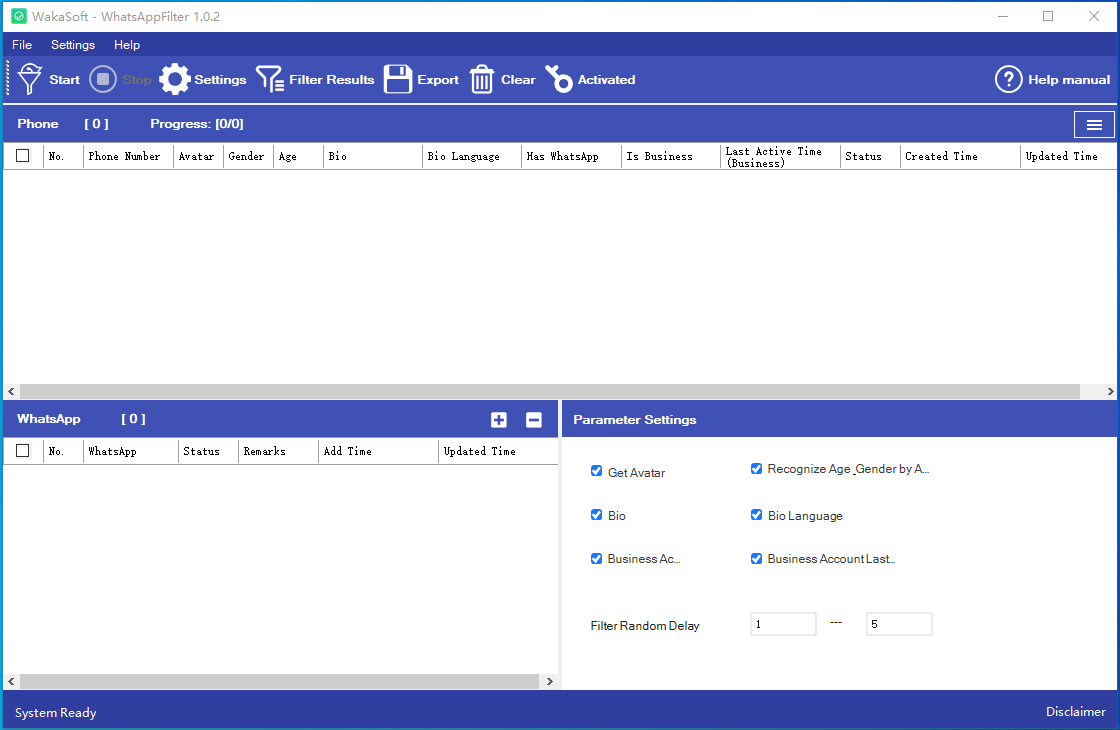
2.Import Phone Numbers
You can import phone numbers in bulk using Excel or CSV files.
The software will automatically process and verify the imported numbers.
Supported Formats
- Excel (.xlsx)
- CSV (.csv)
- TXT files
Make sure the phone numbers include country codes for better verification accuracy.
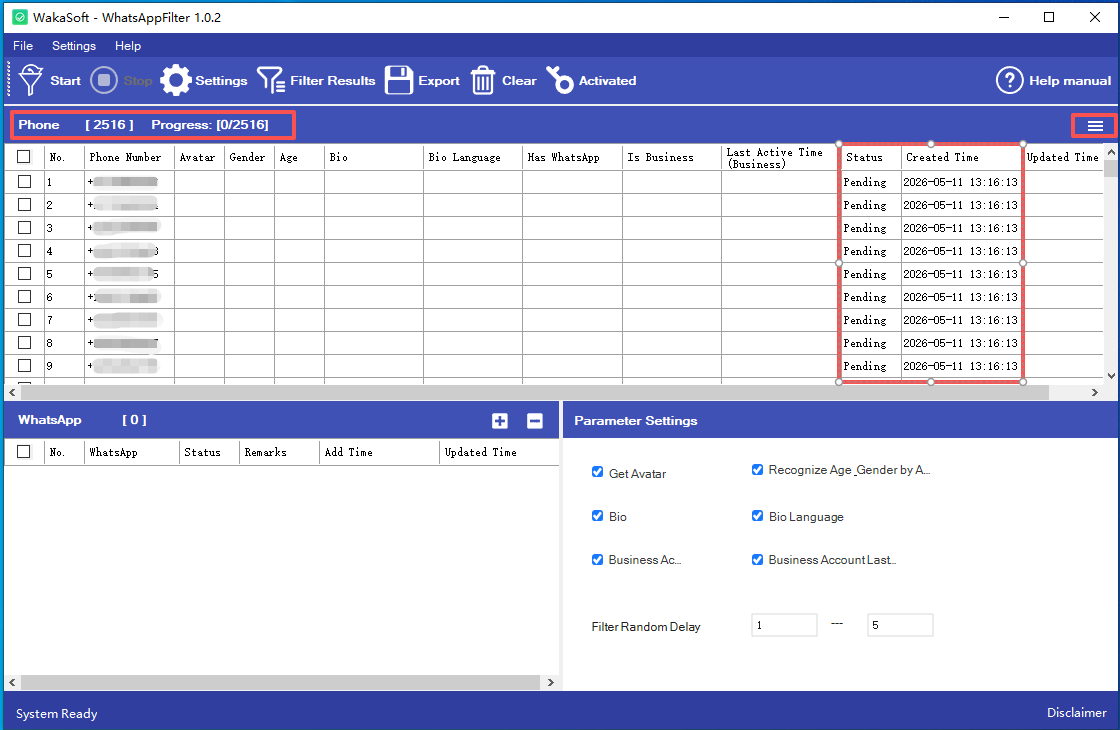
3.Start Bulk WhatsApp Verification
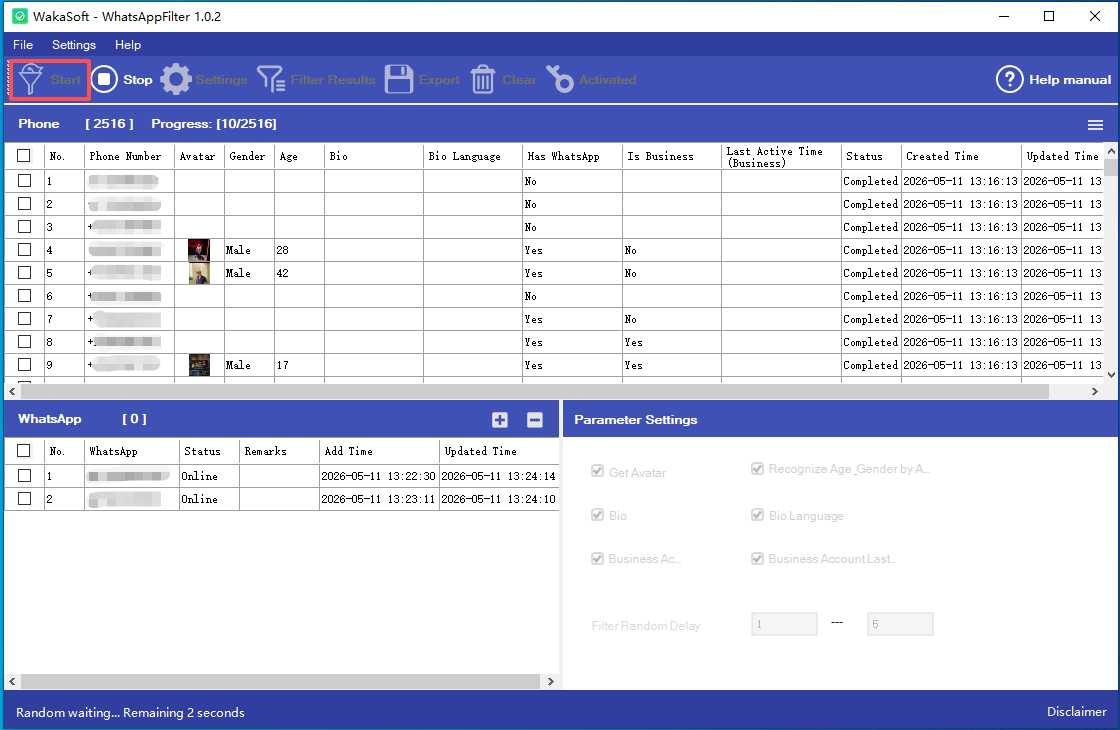
After importing your number list, click the Start button to begin verification.
The software will automatically:
- Detect WhatsApp registered numbers
- Filter invalid numbers
- Identify active accounts
Bulk processing helps save significant time compared to manual verification.
4.Detect WhatsApp Business Accounts
WakaSoft WhatsApp Filter can automatically identify WhatsApp Business accounts.
This feature is especially useful for:
- B2B lead generation
- Business customer targeting
- E-commerce marketing
The software can also retrieve business activity information and related account data.
5.Avatar Analysis & User Information Detection
The software can retrieve WhatsApp profile photos and analyze user information.
Supported Analysis Features
- Gender detection
- Estimated age range
- Profile language detection
These features help marketers better understand customer demographics and improve targeting accuracy.
6.Export Verification Results
After verification is completed, you can export the results with one click.
Exported data can be used for:
- CRM systems
- WhatsApp marketing campaigns
- Lead management
- Data analysis
The software supports trial use.
If you encounter any issues, click Contact Support.
7.Tips for Better Verification Stability
To improve long-term stability and reduce account risks, we recommend:
- Using multiple WhatsApp accounts
- Avoiding excessive verification frequency
- Using quality proxy IPs
- Maintaining normal account activity
Proper account management helps improve verification efficiency and software performance.