

This guide will help you quickly install and use the software to collect and export website contact information in bulk.
1.Installation
Please download the latest version from our official website:
Download link:https://www.wakasoft.com/downloads/WebsiteLeadExtractorSetup.exe
After downloading, double-click the installer and follow the setup wizard to complete the installation.
Note:
Because the software performs automated crawling tasks, some antivirus programs (such as 360 or similar tools) may generate false warnings.
If this happens, please add the software to your trusted list or temporarily disable the antivirus.
We guarantee that the software is safe and contains no viruses or malicious code.
2.How to Use
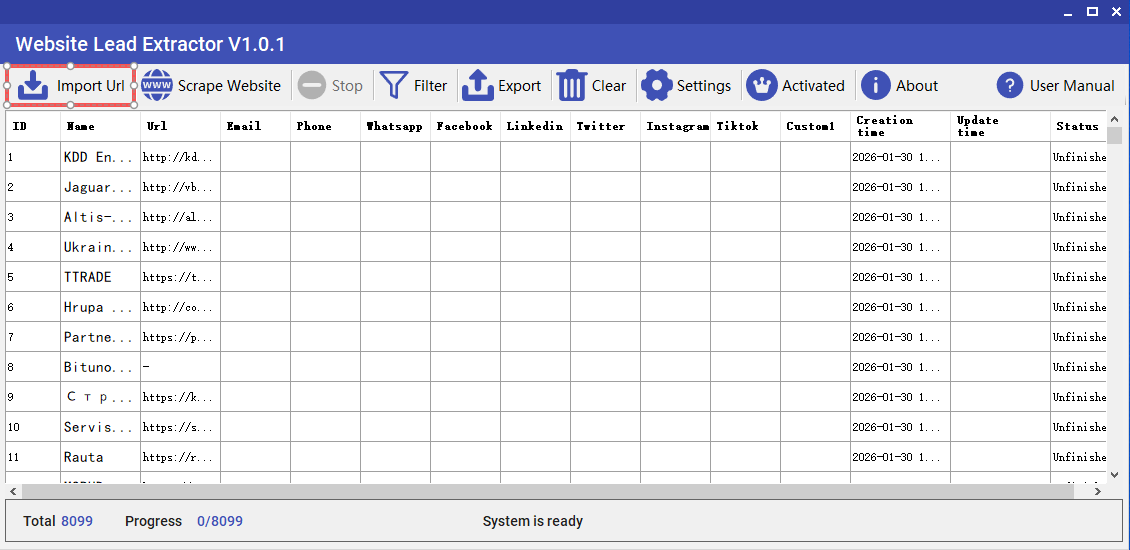
Step 1 – Import URLs
Click【Download Template】and organize your target URLs according to the provided format.
Then click Import to load the file into the software.
Step 2 – Start Extraction
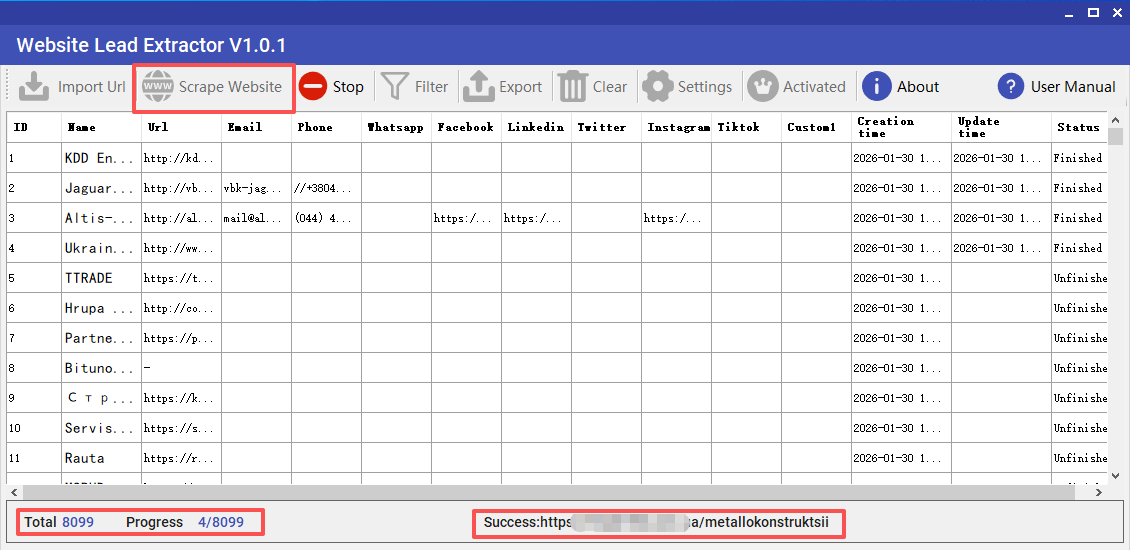
Click Start Extraction.
The software will automatically visit each website and collect contact information from both the main pages and subpages.
No manual operation is required.
Step 3 – Wait for Completion
The program will process each URL automatically.
Please wait until all tasks are finished.
(The speed depends on the number of URLs and your network connection.)
Step 4 – Export Data
After completion, click Export to save all results to an Excel (.xlsx) file.
Features include:
- Unlimited export
- Bulk data processing
- Filtering before export
Step 5 – Trial & Support
A trial version is available.
If you need assistance, please contact our support team for help or remote guidance.